


How to Create a Calling Campaign in ProspectBoss CRM Dialer
A calling campaign is a structured list of contacts that sales teams use to organize outbound calls, follow-up activities, and prospecting workflows inside ProspectBoss.
Creating an effective calling campaign helps businesses organize leads, improve follow-up consistency, and give sales teams the information they need to have better conversations with prospects.
In this step-by-step guide, we will show you how to create a calling campaign in ProspectBoss, upload your contact list, configure campaign settings, and prepare your team to start making calls.
Watch the ProspectBoss Calling Campaign Tutorial
Follow along with the video tutorial below to see how to create your first calling campaign.
Step 1: Create a New Calling Campaign
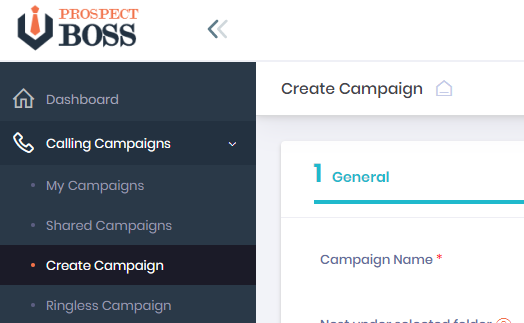
Log into your ProspectBoss CRM Dialer account. From the left-side menu, select Calling Campaigns and then choose Create Campaign.
Campaign General Settings
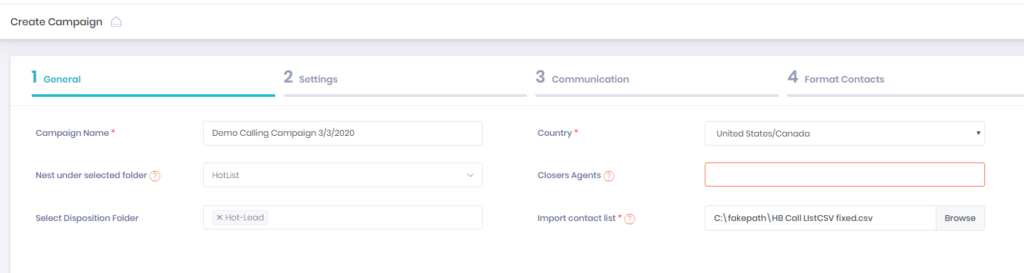
The General section allows you to define the basic settings for your calling campaign.
- Create a campaign name that clearly identifies your list.
- Select the country you are calling.
- Organize campaigns into folders if needed.
- Select a closer account if calls need to be transferred.
- Select a disposition folder for organizing call outcomes.
Upload Your Calling List
Your contact list must be uploaded in CSV format.
- Click Choose File and select your CSV file.
- Campaigns can contain up to 10,000 contacts.
- Organize your spreadsheet before uploading to improve accuracy.
Step 2: Configure Campaign Settings
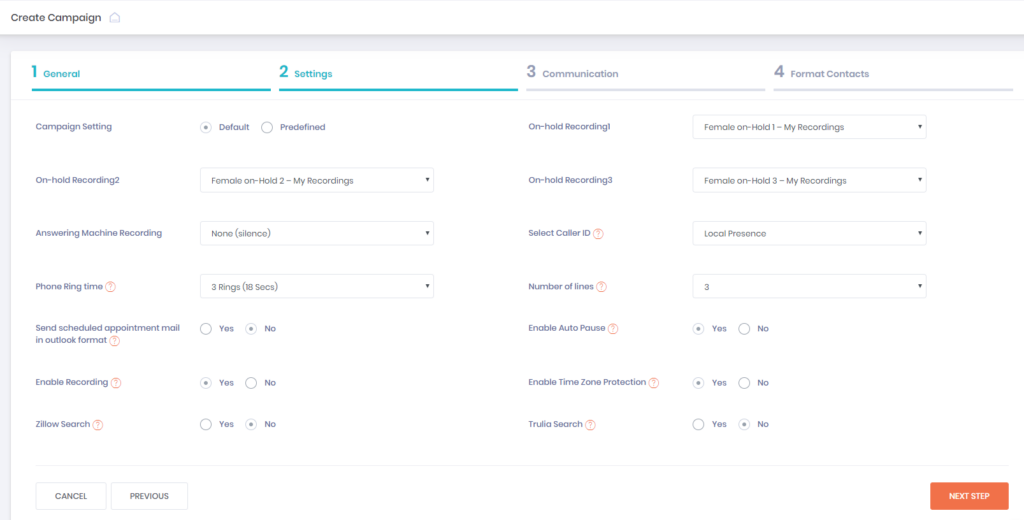
Campaign settings control how your calling workflow operates.
- Select default or customized campaign settings.
- Choose on-hold messages.
- Create answering machine messages.
- Select your caller ID settings.
- Use local presence numbers when appropriate.
Step 3: Set Up Communication Options
ProspectBoss allows you to connect calling campaigns with additional communication channels.
Email Follow-Up
- Send individual emails.
- Create email drip campaigns.
- Select email templates.
SMS Follow-Up
- Send individual text messages.
- Create SMS drip campaigns.
- Select text templates.
Step 4: Format and Map Contacts
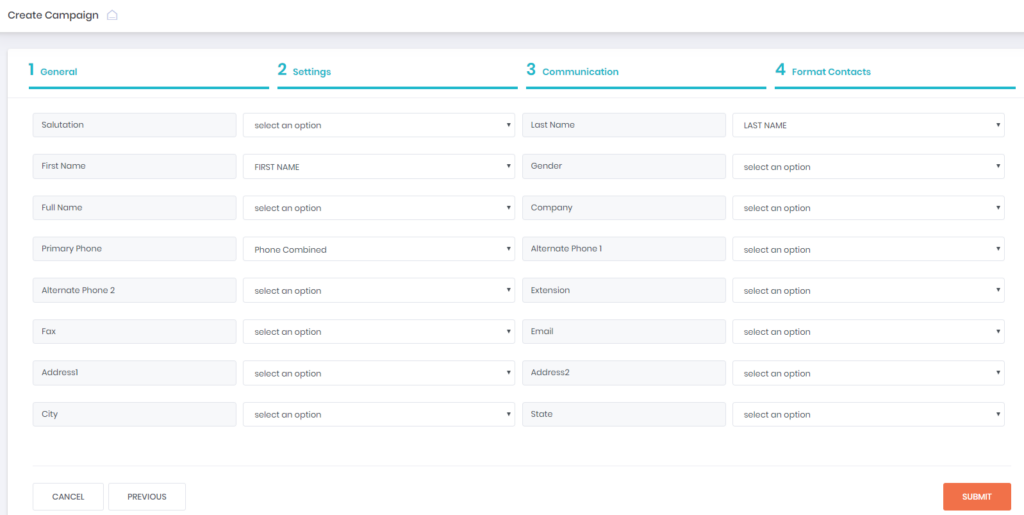
Contact formatting tells ProspectBoss which columns from your spreadsheet should be used for each contact field.
Common fields include:
- First Name
- Last Name
- Primary Phone Number
- Email Address
- Additional custom fields
Complete Your Calling Campaign
After reviewing your contact mapping, click Submit.
If everything is configured correctly, you will receive a confirmation message showing that your campaign was created successfully.
Your new campaign will appear in the My Campaigns section, and your team can begin making calls.
Best Practices for Calling Campaigns
- Use clear campaign names.
- Keep lead lists organized.
- Review call outcomes consistently.
- Create follow-up processes for every conversation.
- Track performance to improve future campaigns.
Frequently Asked Questions About Calling Campaigns
What is a calling campaign?
A calling campaign is an organized list of contacts used by sales teams to manage outbound calling, follow-up, and prospecting activities.
How many contacts can I add to a ProspectBoss campaign?
A ProspectBoss calling campaign can contain up to 10,000 contacts.
Can ProspectBoss calling campaigns include SMS and email follow-up?
Yes. ProspectBoss allows users to combine calling campaigns with email and SMS communication workflows.
What industries use calling campaigns?
Calling campaigns are commonly used by real estate teams, insurance professionals, home service companies, call centers, and B2B sales teams.
Create Better Calling Campaigns With ProspectBoss
ProspectBoss helps businesses organize leads, improve follow-up, and create more productive sales conversations through CRM-connected calling tools.
Contact ProspectBoss to learn how CRM dialing can improve your sales workflow.